
Respond to journalist requests
Connect expert knowledge to a relevant request or journalist pitch.
Map Extract reads journalist requests collected by its X module, checks how recent they are, matches each one to an expert you have added and drafts a reply from that expert's supplied evidence. You approve each response, and it is sent by email only from the sender you choose.
The short versionCatch press requests early and answer them with your own experts.
A beta tool that spots journalist requests for expert comment on X, matches them to your experts and drafts replies for you to approve.
Gives your experts a chance at free press coverage by catching relevant requests while they are still recent. AI helps with wording but cannot supply the expert's real knowledge, and it needs a signed-in X session.
Match a journalist's request to your expert, then approve the reply.
Step by step
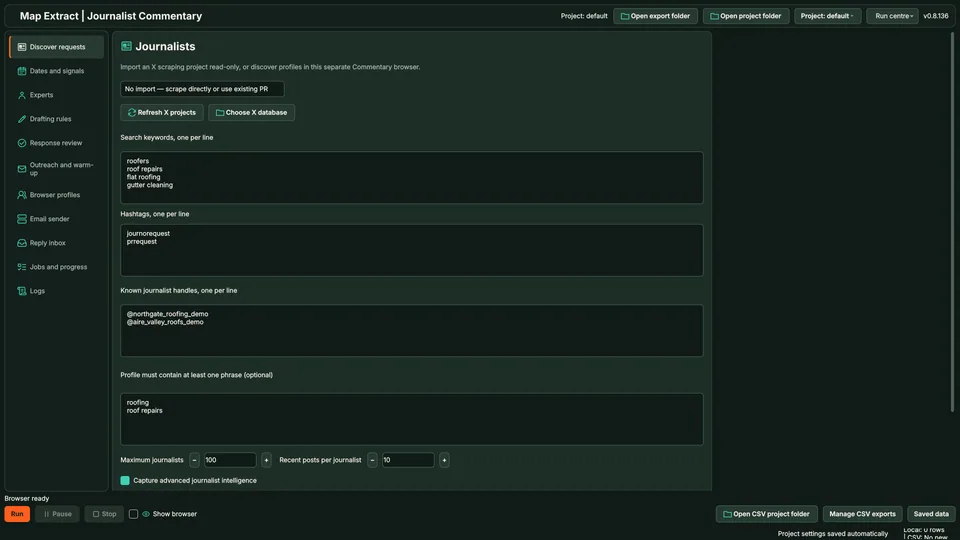
Find journalist requests on X, such as posts tagged #journorequest, match them to the experts in your library and prepare a response from that expert's own material. Every response is approved for its request and expert before it can be sent.
Real column names from the module schema. A field is filled only when its source publishes the value.
idrequest_texttopic_tagsprofile_idpost_idtimestampjournalist_emaillocationYou provide X journalist requests, date and phrase filters, and expert profiles.
You get Relevant media requests and prepared expert responses with original request links.
The X module finds request posts by keyword and hashtag; this module reads and classifies them.
Requests outside the age window are set aside.
Topics are compared with your expert library.
AI drafts a reply from the expert's supplied evidence and your instructions.
You approve the exact reply for that request and expert.
The reply goes by email from your chosen sender after the age check runs again.
Keywords and source context stay with each contact.
Connect expert knowledge to a relevant request or journalist pitch.
Use Map Extract lawfully and only for a legitimate purpose. Read the responsible use policy and the anti-spam policy before contacting anyone. Projects are stored locally on your Windows PC. Public business and social results the app collects are uploaded automatically to Map Extract's servers while it is licensed and running, as the Privacy Notice explains.
From X, through Map Extract's X module. The X module and a signed-in X session are required. The module imports journalist requests from the X module's scraping database; other request sources are not supported.
The X module set up with a session, an expert library with real background for each expert, an SMTP sender for email and optionally a Gemini key for drafting.
No. Each response is approved for its request and expert, and the age is checked again before sending.
No. Supply the expert's real background and contribution. AI helps with wording; check every statement attributed to the expert.
That is the journalist's editorial decision. The module helps you find relevant requests and reply promptly.
Here, you respond to a journalist's existing request. Press Release Distribution starts with your own press brief and researches journalists who may find it relevant. The starting point and message should be different.
No. Supply the expert's factual background and contribution. The workflow should help express and organise their knowledge, not substitute invented expertise for it.
Yes. Use Collect and draft only, then review the request and response before choosing the sending mode.
Monitor #journorequest on X: the hashtag variants, search queries that cut the noise, the Latest tab, topic and deadline filters, and a fast response routine.
HARO alternatives compared for UK businesses: #journorequest, ResponseSource, SourceBottle, Qwoted, Featured and HARO itself, with sourced prices and UK reach.
Where UK journalist requests appear (#journorequest, ResponseSource, HARO, Qwoted, SourceBottle), how to qualify them, a reply template and a daily routine.
Read the Journalist Expert Commentary guide, check the free demo status and the system requirements, then choose a licence for your Windows PC.