
Companies House Bulk Data Product: Download and Filter It
Download the free Companies House Basic Company Data, open it without crashing Excel, and filter it by SIC code, status and postcode area with tested recipes.
Match UK business records to the Companies House register in either direction. Start from a website and match a company number or name, or start from registry records and check candidate websites before they go to enrichment. Registered office and status are kept apart from the trading location, and unmatched companies stay in staging.
The short versionCheck UK businesses against the official register before you contact them.
A tool that links UK business records to the official Companies House register, starting from either a website or a company.
Helps UK teams see whether a prospect is a registered, active company and which website belongs to it, before spending time on outreach. Unmatched companies stay to one side rather than being guessed.
A UK company record is linked to its website only when the site confirms it.
Step by step
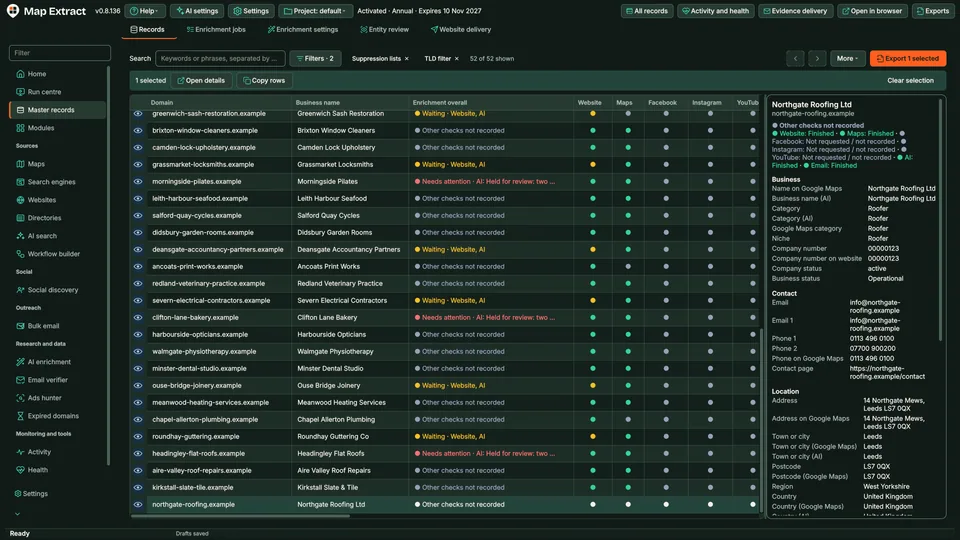
UK business records matched to Companies House, with registered office and status kept apart from the trading location.
You provide Project records with websites, company numbers or names, or Companies House records from the API, the status stream or a snapshot import.
You get UK business records with a company number, registered office and status kept apart from the trading location.
Use Map Extract lawfully and only for a legitimate purpose. Read the responsible use policy. Projects are stored locally on your Windows PC. Public business and social results the app collects are uploaded automatically to Map Extract's servers while it is licensed and running, as the Privacy Notice explains.
Website first, matching a company number or name found on a business website to the register, and company first, starting from registry records and checking candidate websites before enrichment.
A free Companies House API key is needed for the official API and status stream. CSV or ZIP snapshot imports work without one.
A registered office is often an accountant or formation agent address, not where the business trades. Keeping them separate stops the wrong location being used.
Inactive and dissolved entities are excluded or held for review, and outreach to inactive Companies House entities is refused.
The company stays in staging instead of being merged into your records, so you can check it later.
Only companies on the Companies House register. Unregistered sole traders and partnerships do not appear there.
Download the free Companies House Basic Company Data, open it without crashing Excel, and filter it by SIC code, status and postcode area with tested recipes.
Turn Companies House records into contactable UK B2B leads: free data products, the filters that matter, website matching and what the register cannot tell you.
What dormant means on Companies House, how to find dormant companies with the accounts category and SIC codes in bulk data, and when to exclude or hold them.
Three free ways to list new UK companies registered today: advanced search by incorporation date, the API search endpoint and the streaming API, plus a routine.
How UK SIC 2007 codes work, why they are unreliable on their own, a starter table of niches mapped to codes and synonyms, and how to filter the register.
Read the Companies House Matching guide, check the free demo status and the system requirements, then choose a licence for your Windows PC.