
How to scrape Apple Maps business listings
Follow the complete setup and run process for this module. You will start with a business category, place and result limit, work through each control in order and finish with a structured list of businesses found on Apple Maps.
Step 1: Maps > Keywords
Add one business category and enable it; the keyword appears in the saved list.
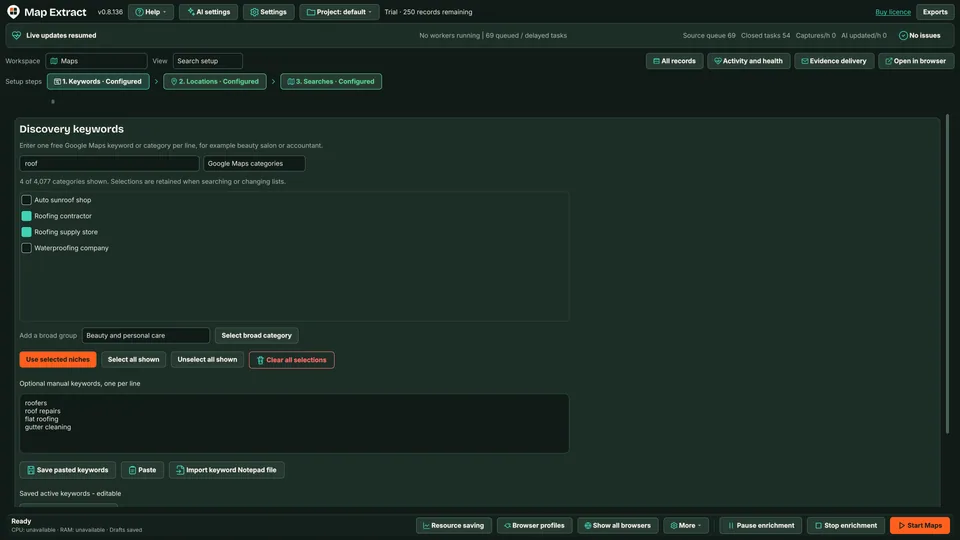
Keywords define the business categories in the discovery queue. Step 2: Maps > Locations
Add one target location with its country; check the saved location before generating work.
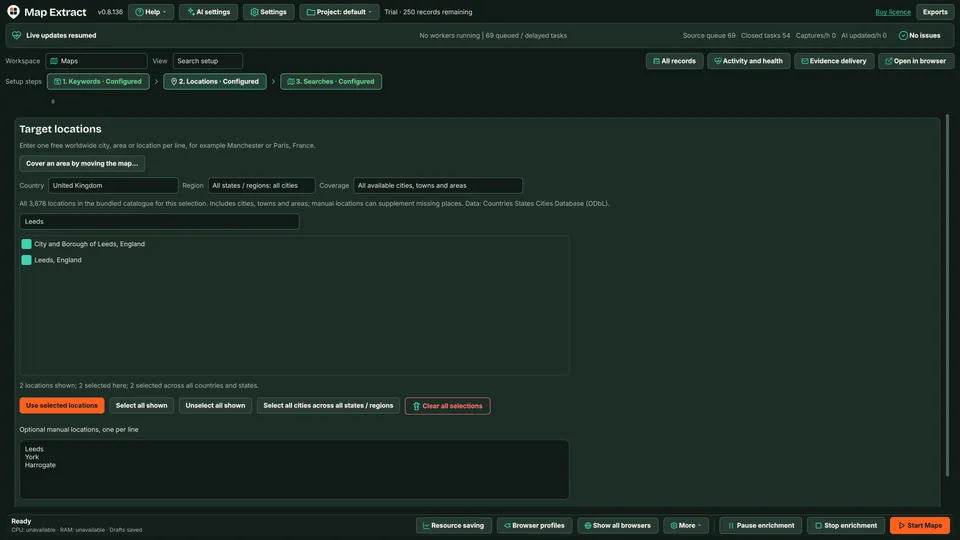
Location records should include an explicit country. Step 3: Maps > Map Searches
Review the keyword/location combinations and confirm Apple Maps is supported in the selected source configuration.
Step 4: Maps > Discovery
Set Results per keyword and location to a small cap and save it; queued searches remain bounded.
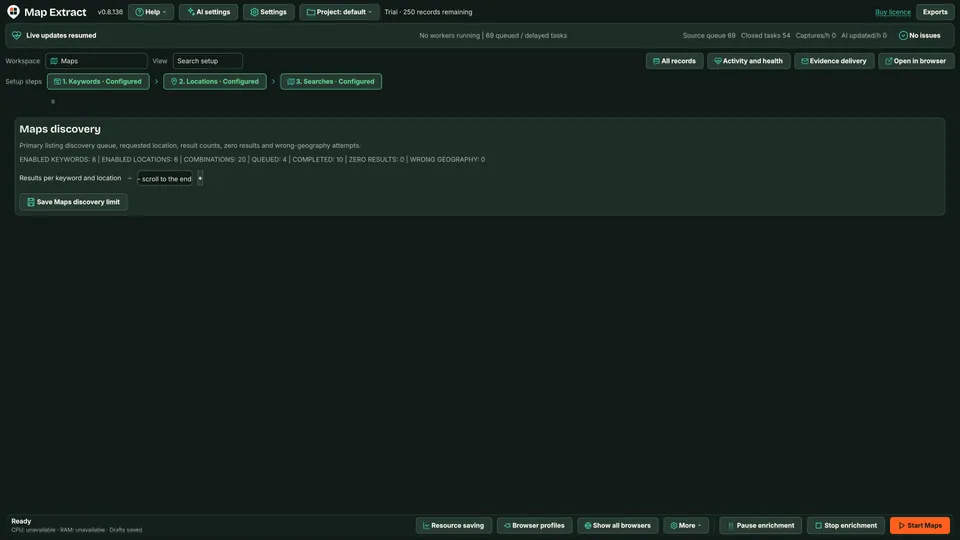
The shared discovery view records limits and job outcomes. Step 5: Workflow Builder
Review the source steps and start a small discovery job locally; inspect Activity for source failures.
Step 6: Records
Inspect listing URLs, business identity and location, then export the reviewed records. Missing fields remain missing.
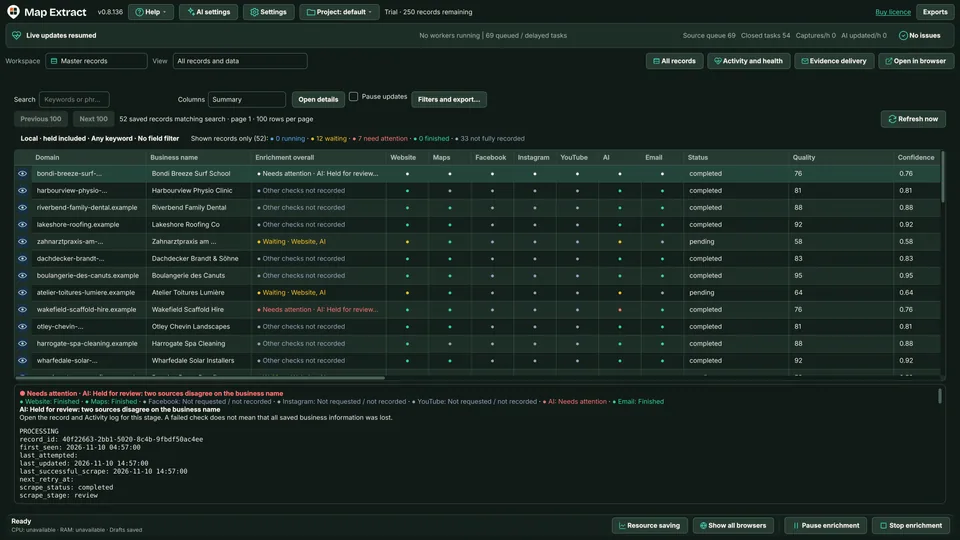
Review the collected results in Records.
Check the result
A local B2B database with business contacts, website and social details, ready for CSV export and reviewed outreach.
- Fields depend on what each listing shows and can vary by country and region.
- Results from outside the requested area are flagged as wrong geography rather than saved silently.
- A blocked or unavailable listing is recorded as blocked, not as proof that no businesses exist.
Read the responsible use guidance before you run this module on real data.
Troubleshooting
- The expected input or account is missing
- Recheck the prerequisites: Map Extract project; Public listing access; Defined location and result cap.
- The output is incomplete or unavailable
- Apple Maps fields vary by page and region; complete coverage is not promised.
- The job was interrupted
- Pause or stop the supported local job controls, then inspect its recorded state. Resolve a blocked account or source before restarting. Check the destination before repeating any action whose outcome is uncertain.
Questions
What setup does Apple Maps Business Data Extractor require?
Business categories, countries and target locations. Map Extract project. Public listing access. Defined location and result cap.
What does apple maps scraper produce?
Local business records with available contact fields and source URLs for CSV export.
What should I check before using Apple Maps Business Data Extractor?
Apple Maps fields vary by page and region; complete coverage is not promised.
Next steps
Follow along in the free demo
Install Map Extract on Windows and work through these steps with a small test project.