
How to find auction lots worth reselling
Follow the complete setup and run process for this module. You will start with auction regions, keywords, target return, fees and resale assumptions, work through each control in order and finish with a live shortlist of auction lots with transparent cost, value and margin assumptions.
Step 1: Search settings
Enter a focused keyword and exclusions; keep the search bounded.
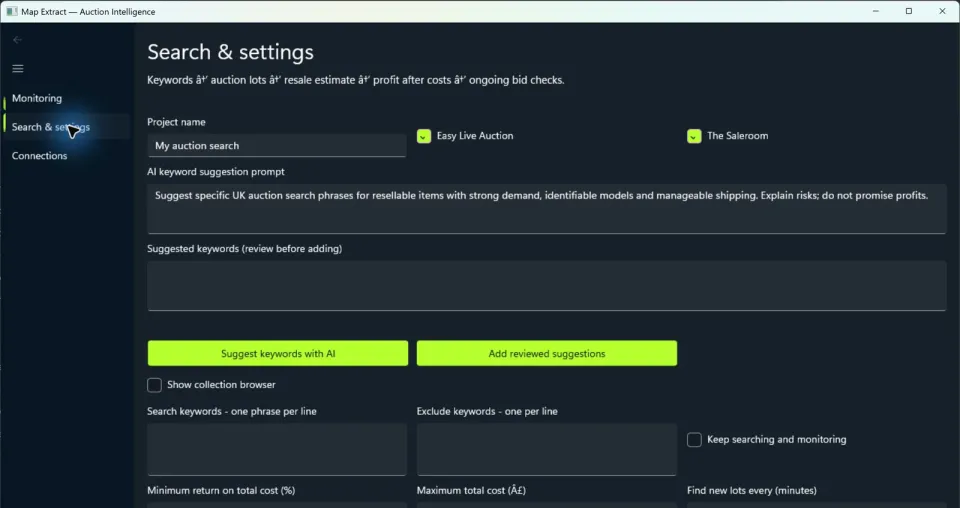
The companion application has its own search settings. Step 2: Search settings > Costs
Review fees, VAT and transport assumptions before evaluating returns.
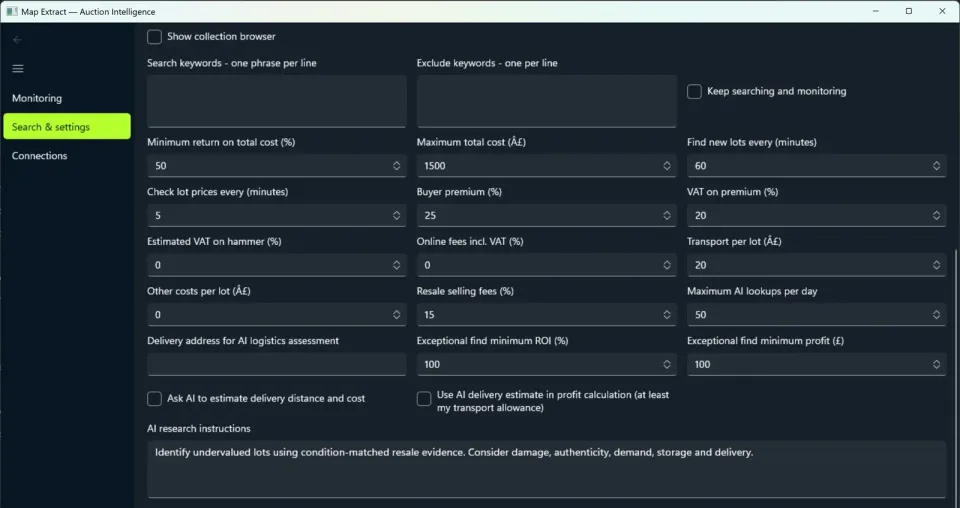
Review the costs used in a return estimate. Step 3: Connections
Configure only authorised source and optional model connections.
Step 4: Monitoring
Inspect lot evidence and valuation assumptions; review changing bids against the chosen target.
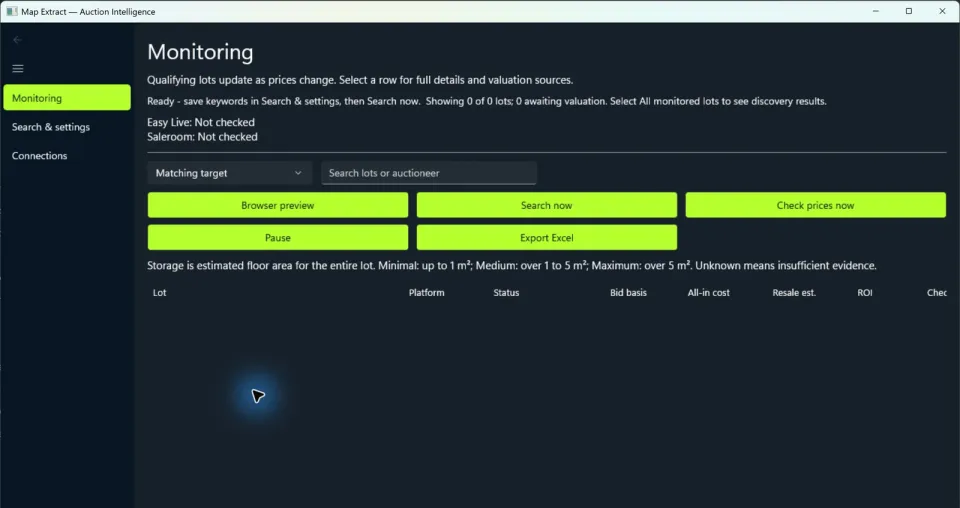
Monitoring tracks lead generation in the separate application. Step 5: Monitoring
Export the lead generation; make any purchase decision separately.
Check the result
Auction lot comparisons with source references and estimated returns for your purchase decision.
- Separate companion application. It never bids.
- Auction sites can limit or block automated access.
- Valuations and return estimates depend on your assumptions and the evidence available.
Read the responsible use guidance before you run this module on real data.
Troubleshooting
- The expected input or account is missing
- Recheck the prerequisites: Separate Auction Intelligence application; Permitted source access; Gemini only for configured valuation; Sheets only for configured synchronisation.
- The output is incomplete or unavailable
- Separate companion application. It never bids.
- The job was interrupted
- Inspect the companion application monitoring state and source errors before restarting a search. Repair denied access through the authorised source. No bid is placed or retried by this application.
Questions
What setup does Auction Intelligence require?
Auction keywords, exclusions, cost assumptions and target return. Separate Auction Intelligence application. Permitted source access. Gemini only for configured valuation. Sheets only for configured synchronisation.
What does auction intelligence software produce?
Auction lot comparisons with source references and estimated returns for your purchase decision.
What should I check before using Auction Intelligence?
Separate companion application. It never bids.
Next steps
Follow along in the free demo
Install Map Extract on Windows and work through these steps with a small test project.