
How to manage separate browser profiles
Follow the complete setup and run process for this module. You will start with authorised account profiles and project-specific session choices, work through each control in order and finish with separate, reusable browser sessions for authorised accounts.
Step 1: Configuration > Browser profiles
Create or select a profile for the intended identity; keep accounts distinct.
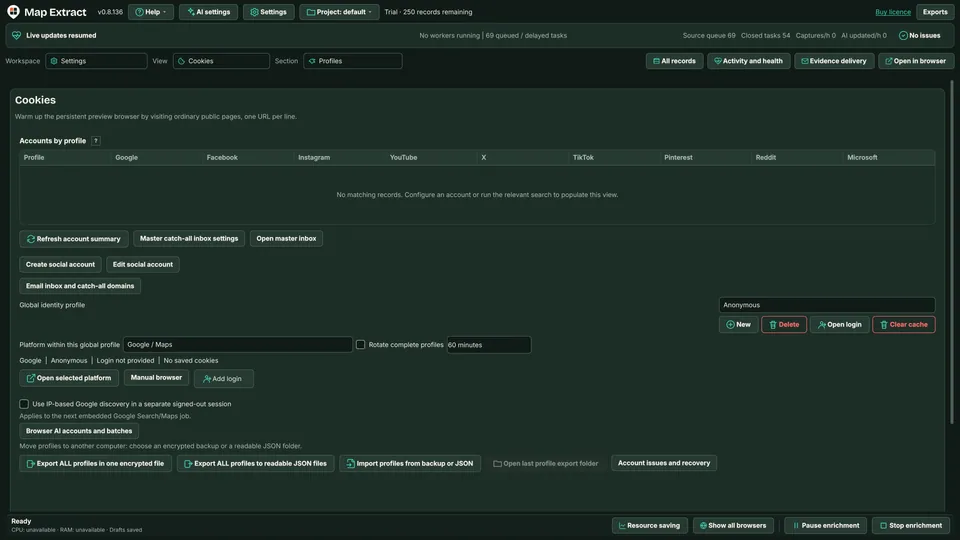
Global profiles identify the account used by a supported module. Step 2: Sessions and cookies
Review the stored session and sign in where required; never publish cookie values.
Step 3: Dolphin > Connection
Only for an external profile, connect to the locally running authorised API.
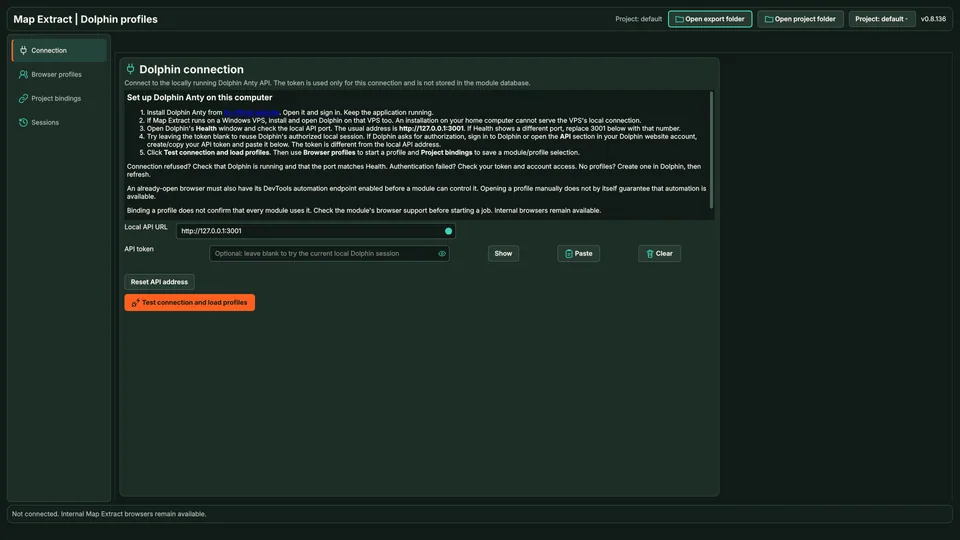
Dolphin is an optional external integration. Step 4: Project bindings
Bind the supported profile to the intended project module; inspect Sessions before starting work.
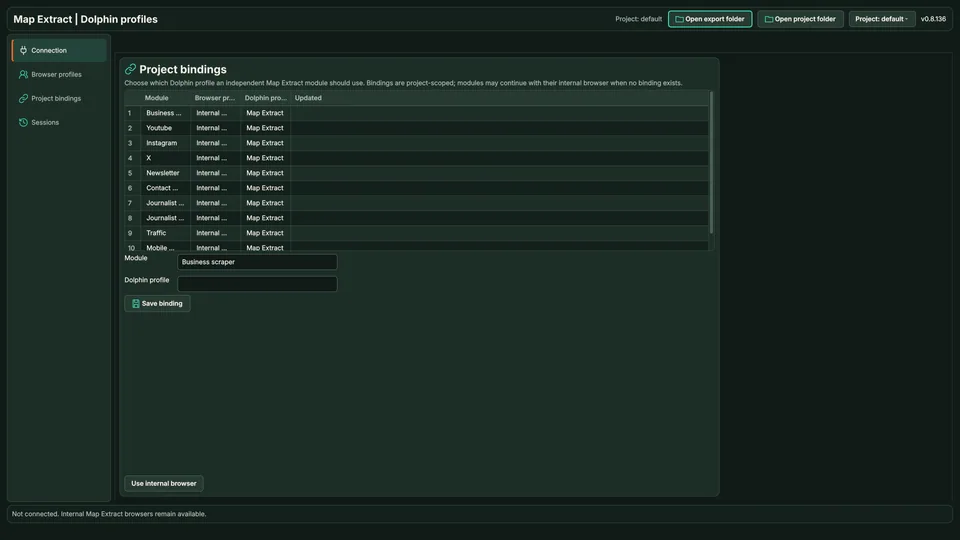
Bindings connect a project module to an external profile. 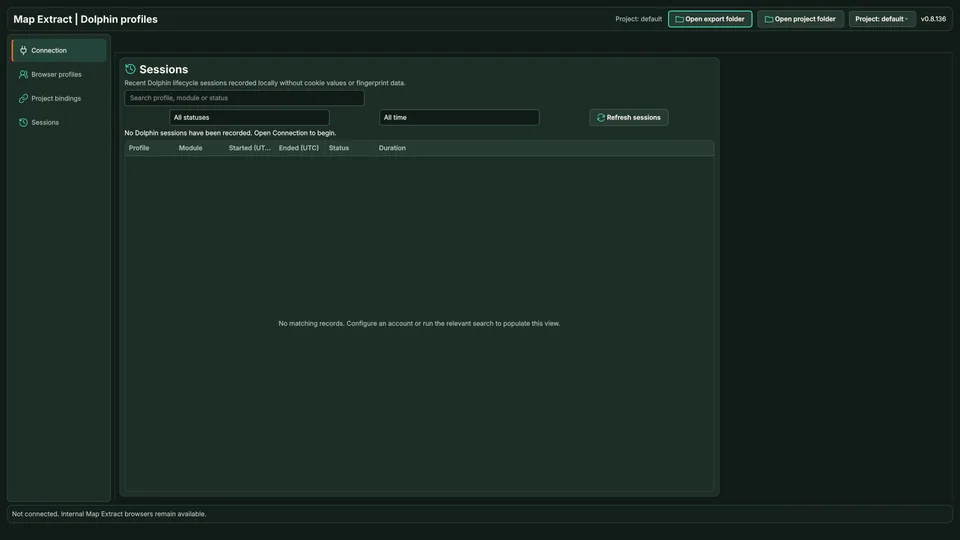
Sessions shows the external browser state.
Check the result
Reusable account sessions so each workflow uses the intended browser identity.
- Profiles do not lift platform restrictions or make an account anonymous.
- Security checks and two-factor prompts are never bypassed; you complete them.
- Dolphin Anty is optional and connects only to its local API on your PC.
Read the responsible use guidance before you run this module on real data.
Troubleshooting
- The expected input or account is missing
- Recheck the prerequisites: Authorised account sessions; External Dolphin API only when using that integration.
- The output is incomplete or unavailable
- Profiles do not remove platform restrictions or make an account anonymous.
- The job was interrupted
- Pause or stop the supported local job controls, then inspect its recorded state. Resolve a blocked account or source before restarting. Check the destination before repeating any action whose outcome is uncertain.
Questions
What does browser profile management produce?
Reusable account sessions so each workflow uses the intended browser identity.
Next steps
Follow along in the free demo
Install Map Extract on Windows and work through these steps with a small test project.