
How to extract emails from business websites
Follow the complete setup and run process for this module. You will start with website URLs or existing business records, work through each control in order and finish with a source-linked list of publicly found business email addresses.
Step 1: Websites
Select approved sites for contact extraction; keep the crawl scope narrow.
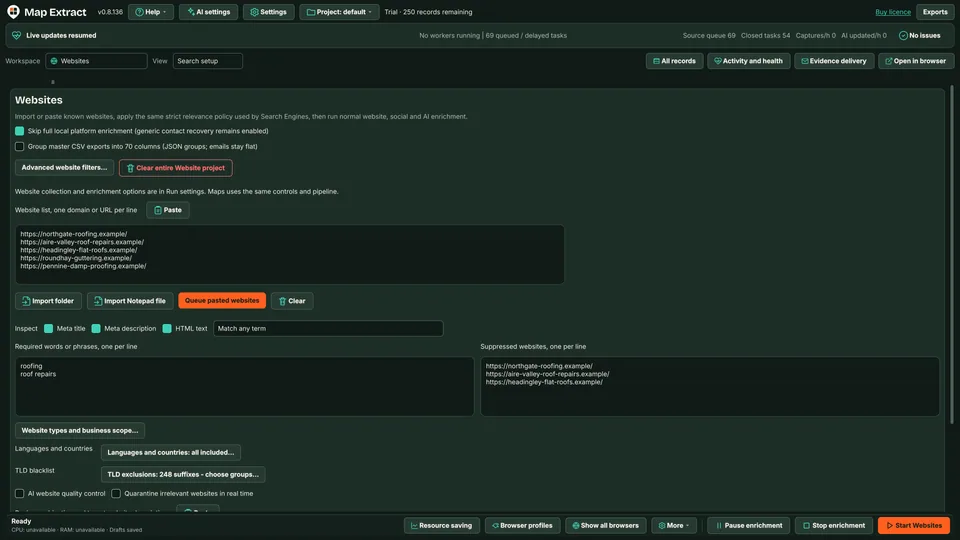
Choose the sites that may provide contact evidence. Step 2: Configuration > Email filters
Review exclusions before running; unwanted addresses should not enter the working list.
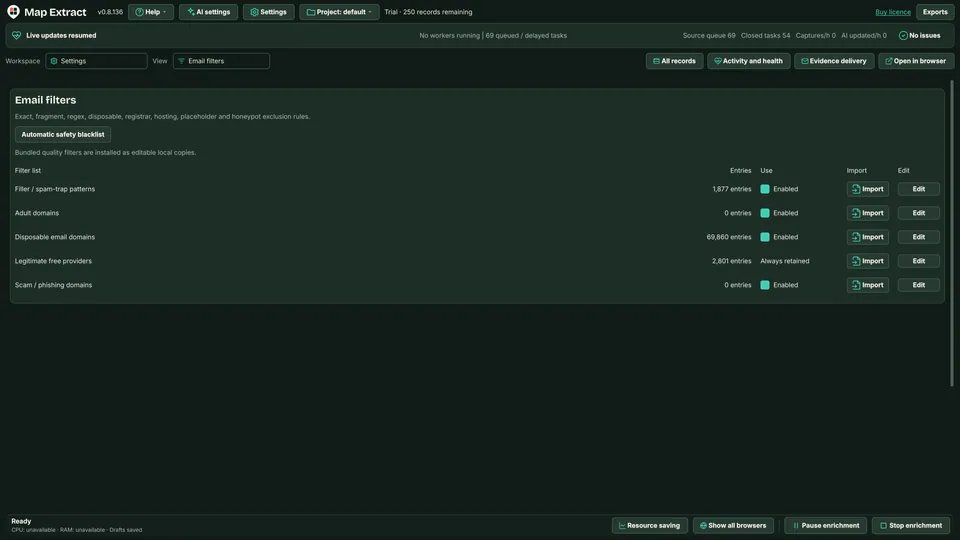
Email filters constrain which addresses are retained. Step 3: Records
Inspect each extracted email together with its source page and business identity.
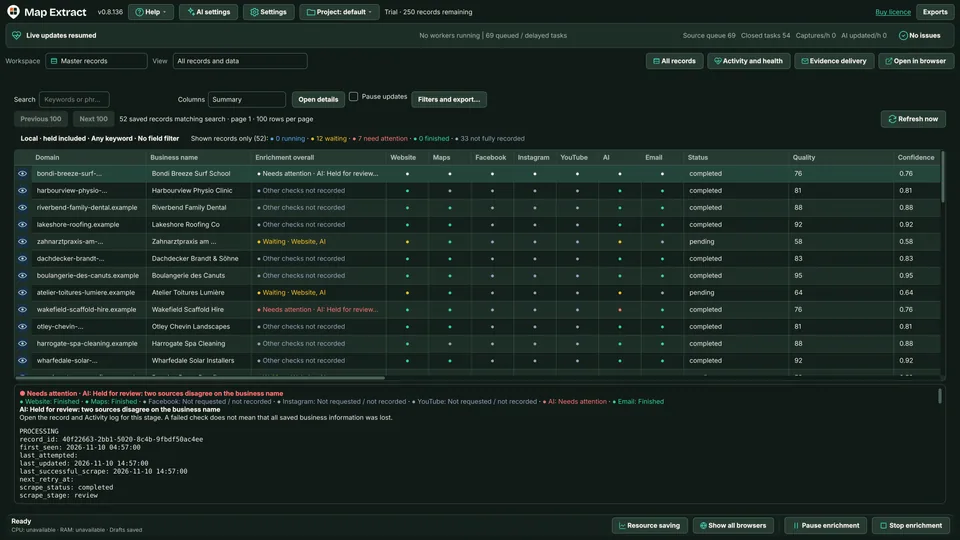
Review the address with its source record. Step 4: Outreach > Eligible prospects
Review any intended communication separately; extraction alone does not make a recipient eligible.
Check the result
A local B2B database with business contacts, website and social details, ready for CSV export and reviewed outreach.
- robots.txt is respected; blocked, parked and dead sites are recorded and set aside.
- Websites publish different details, so fields can be missing or conflict. Evidence is kept rather than guessed.
- A published address is not permission to send marketing.
Read the responsible use guidance before you run this module on real data.
Troubleshooting
- The expected input or account is missing
- Recheck the prerequisites: Project; Public website evidence; Email filter settings.
- The output is incomplete or unavailable
- This extracts published addresses; it does not guess private email addresses.
- The job was interrupted
- Pause or stop the supported local job controls, then inspect its recorded state. Resolve a blocked account or source before restarting. Check the destination before repeating any action whose outcome is uncertain.
Questions
What setup does Public Business Email Extractor require?
Business websites and public contact pages. Project. Public website evidence. Email filter settings.
What does email extractor produce?
Business email records you can trace back to the page where each address was found.
What should I check before using Public Business Email Extractor?
This extracts published addresses; it does not guess private email addresses.
Next steps
Follow along in the free demo
Install Map Extract on Windows and work through these steps with a small test project.