
How to find newsletters from a website list
Follow the complete setup and run process for this module. You will start with a list of business websites, find their newsletter signup opportunities, review the supported subscription workflows and finish with a source-linked list of newsletters.
Step 1: Subscriptions
Enter newsletter targets and inspect discovery settings; keep submission off until reviewed.
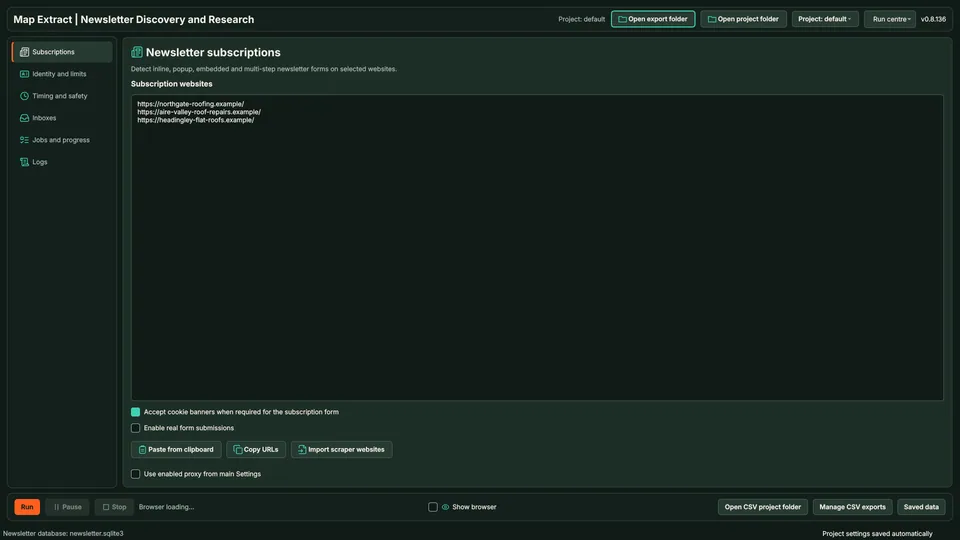
Subscriptions lists the lead generation targets. Step 2: Identity & limits
Enter the authorised subscriber identity and cap the run.
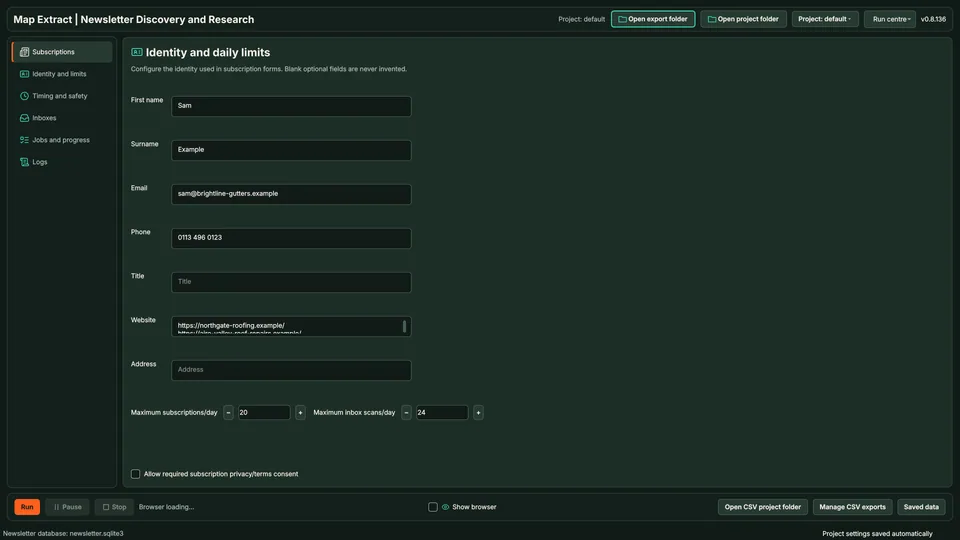
The identity is the authorised subscriber, not a campaign recipient list. Step 3: Timing & safety
Bound form discovery and repeat attempts; save the settings.
Step 4: Inboxes
Configure only inboxes you control; verify access before collection.
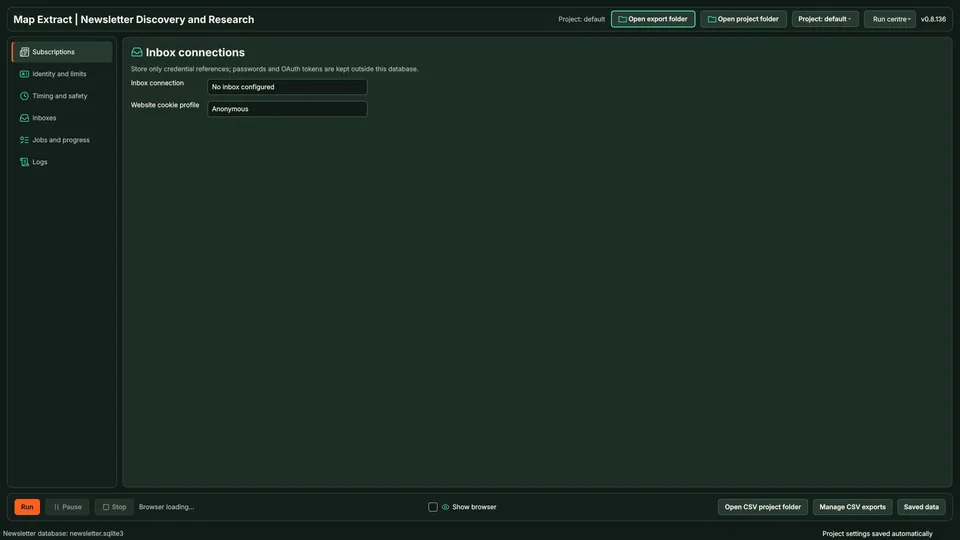
Inbox connections supply received messages for lead generation. Step 5: Jobs & progress
Review subscription and message collection results before exporting lead generation.
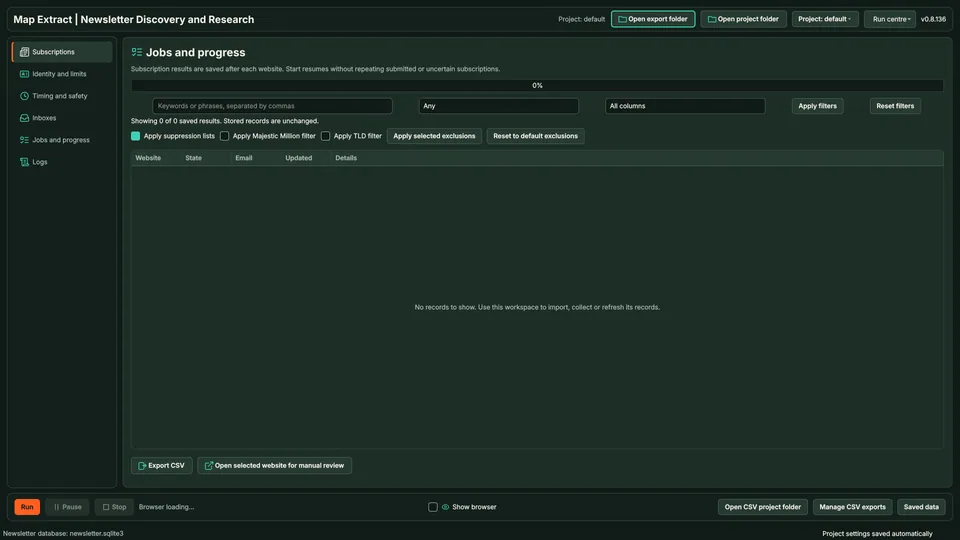
Progress separates subscription actions from collected messages.
Check the result
Subscription records and received newsletter content for lead generation.
- Starts from a website list; it does not search for newsletters by subject.
- This is newsletter research, not newsletter sending.
- Double opt-in confirmation and inbox access can need your action.
Read the responsible use guidance and the anti-spam policy before you run this module on real data.
Troubleshooting
- The expected input or account is missing
- Recheck the prerequisites: Project; Permission to use the subscription identity; Inbox access for reading incoming newsletters.
- The output is incomplete or unavailable
- This is newsletter subscription discovery and inbox lead generation, not newsletter distribution or bulk sending.
- The job was interrupted
- Pause or stop the supported local job controls, then inspect its recorded state. Resolve a blocked account or source before restarting. Check the destination before repeating any action whose outcome is uncertain.
Questions
What setup does Newsletter Subscription Discovery and Inbox Lead Generation require?
Newsletter websites, your subscriber identity and a connected inbox. Project. Permission to use the subscription identity. Inbox access for reading incoming newsletters.
What does newsletter subscription automation produce?
Subscription records and received newsletter content for lead generation.
What should I check before using Newsletter Subscription Discovery and Inbox Lead Generation?
This is newsletter subscription discovery and inbox lead generation, not newsletter distribution or bulk sending.
Next steps
Follow along in the free demo
Install Map Extract on Windows and work through these steps with a small test project.