
How to pitch journalists with a press release
Follow the complete setup and run process for this module. You will start with journalist search terms, a press-release brief, authorised accounts and sender settings, work through each control in order and finish with a journalist-by-journalist PR campaign with evidence, drafts and delivery history.
Step 1: Find relevant journalists
Import an X scraping project with read only access, discover profiles in the separate PR browser or use existing PR data. Refresh X projects reloads sources and Choose X database selects a source. Enter search keywords, hashtags and known journalist handles one per line. The optional profile phrase filter narrows name or bio matches; it does not verify professional credentials.
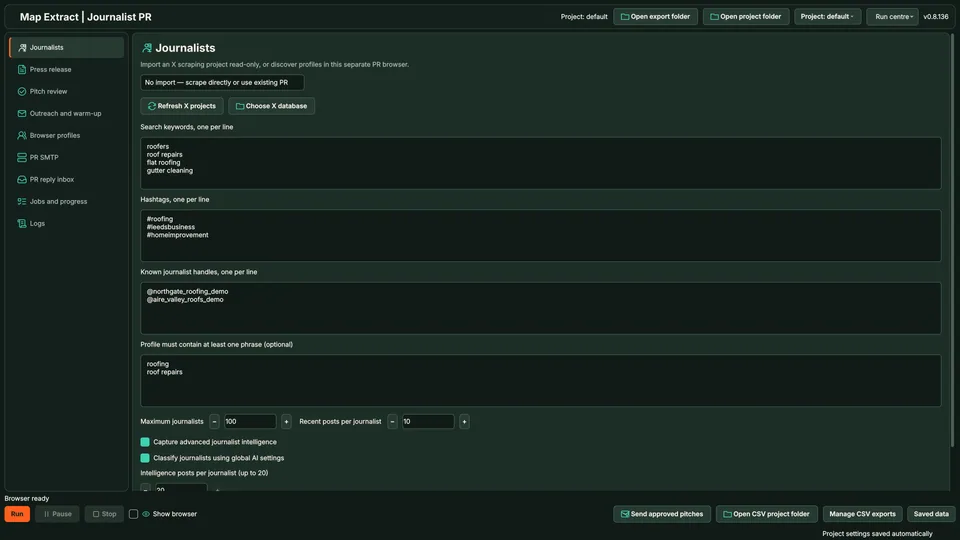
Journalists: No import selected, read only X import, sample keywords, hashtags, known handles and the optional profile phrase filter. Maximum journalists 100 and Recent posts per journalist 10. Step 2: Prepare the press release
Use one PR brief for a shared pitch or a distinct draft grounded in each journalist's recent posts. No expert matching is required. Enter the Subject and PR brief / shared message, or use Paste PR from clipboard. Review every claim and its supporting material.
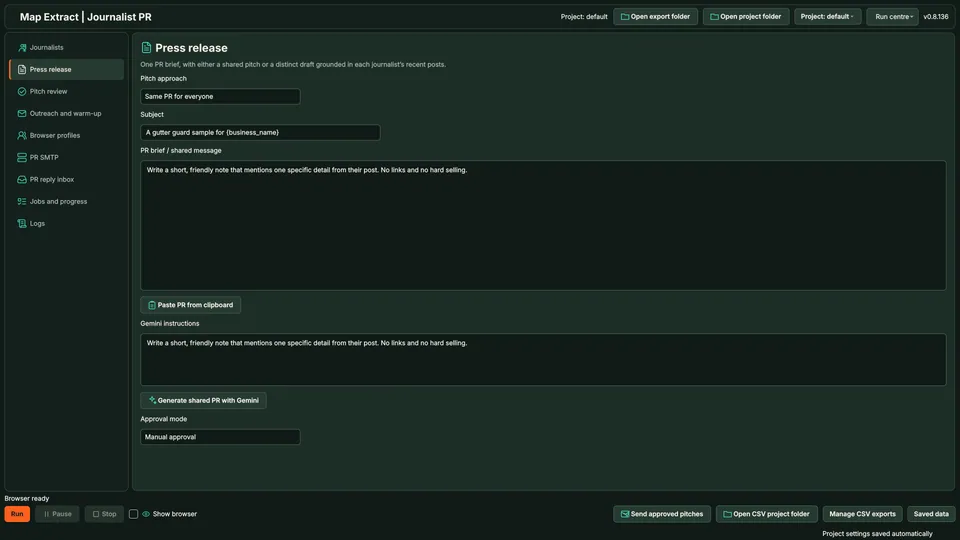
Press release: Pitch approach Same PR for everyone, Subject and PR brief / shared message. The alternative drafts each pitch from the journalist's recent posts. Step 3: Set Gemini instructions and approval
Add drafting guidance in Gemini instructions. Generate shared PR with Gemini prepares the shared PR draft; this is distinct from the selected personalised pitch approach. Choose Manual approval to review each draft before delivery.
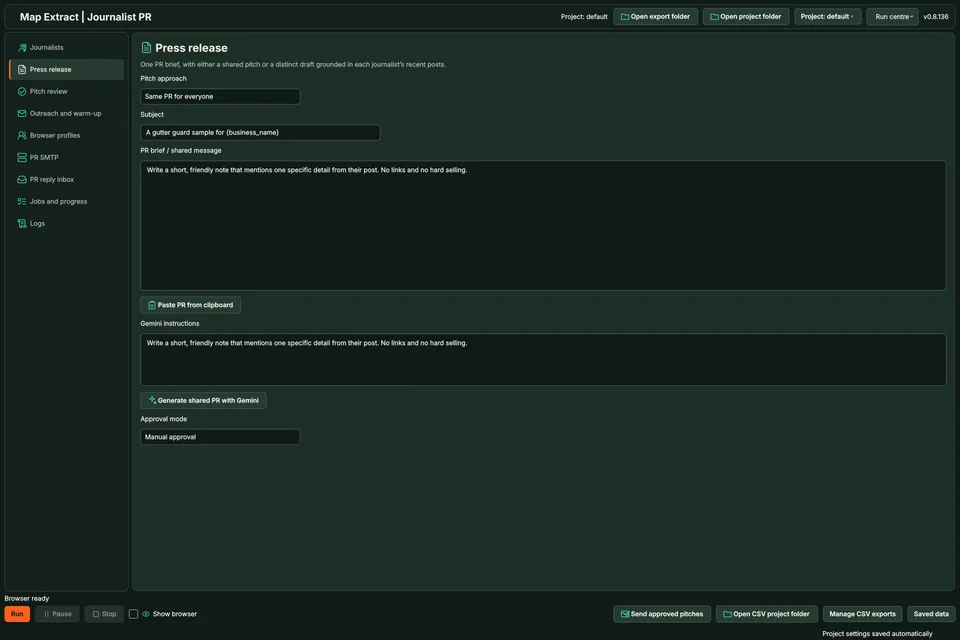
Generate shared PR with Gemini and Approval mode Manual approval. Shared drafting is distinct from the personalised pitch approach. Step 4: Review the exact pitch
Select a journalist and inspect the recipient, supporting posts and exact message. Save edits before approving. Warm up and delivery also require the live switch; Send approved pitches is a separate dispatch control.
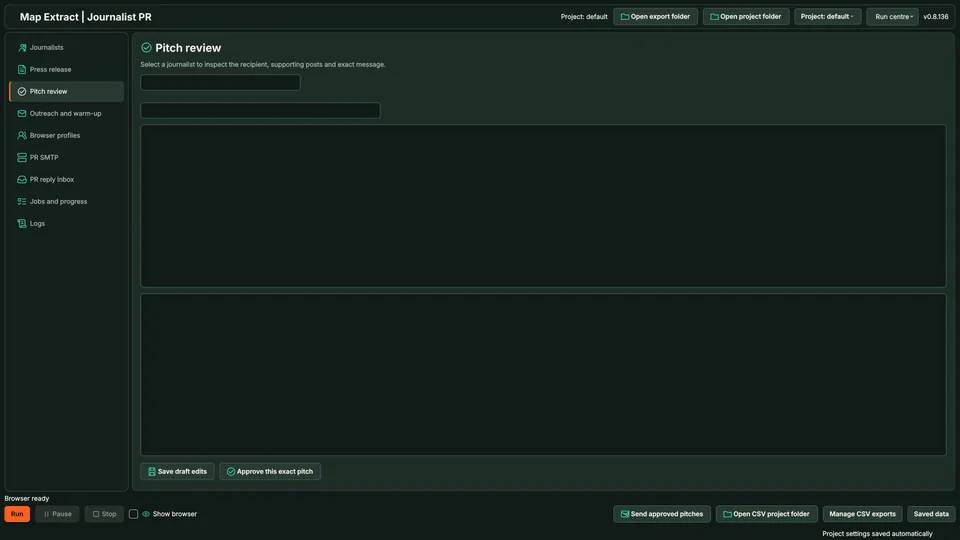
Pitch review: inspect recipient, supporting posts and exact message. Save edits before approval; delivery also requires the live switch. Step 5: Choose permitted outreach actions
Choose permitted DM, email, follow, like, repost and comment actions before enabling live delivery. Nothing is sent until live delivery is enabled and the selected approval rule is satisfied. Email targets an address found in the bio. A reply received in the PR inbox stops further outreach to that journalist.
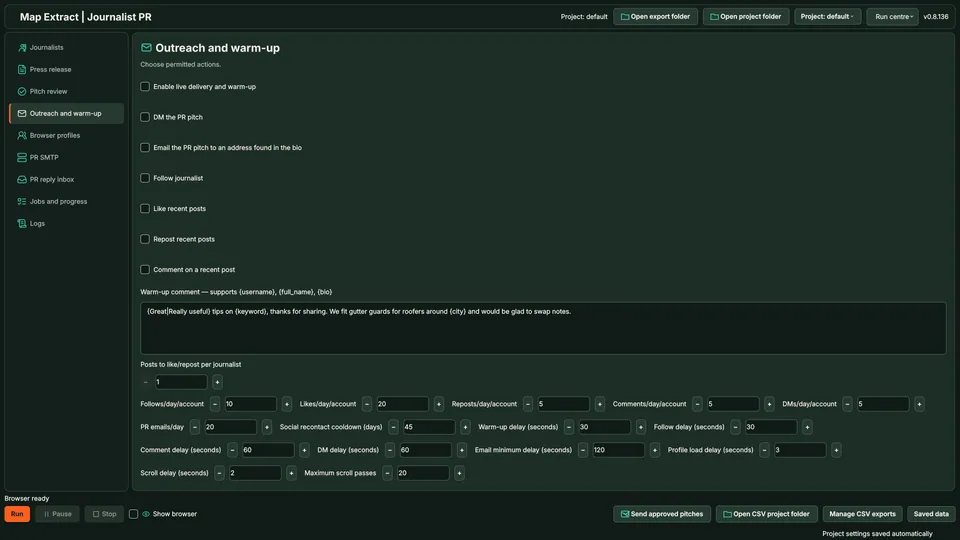
All outreach checkboxes unchecked. Posts to like or repost per journalist 1; Follows per day per account 10 and Likes per day per account 20. Step 6: Review daily limits and pacing
Set separate daily caps for follows, likes, reposts, comments, DMs and PR emails. Review the social recontact cooldown, action delays, profile load delay, scroll delay and maximum scroll passes.
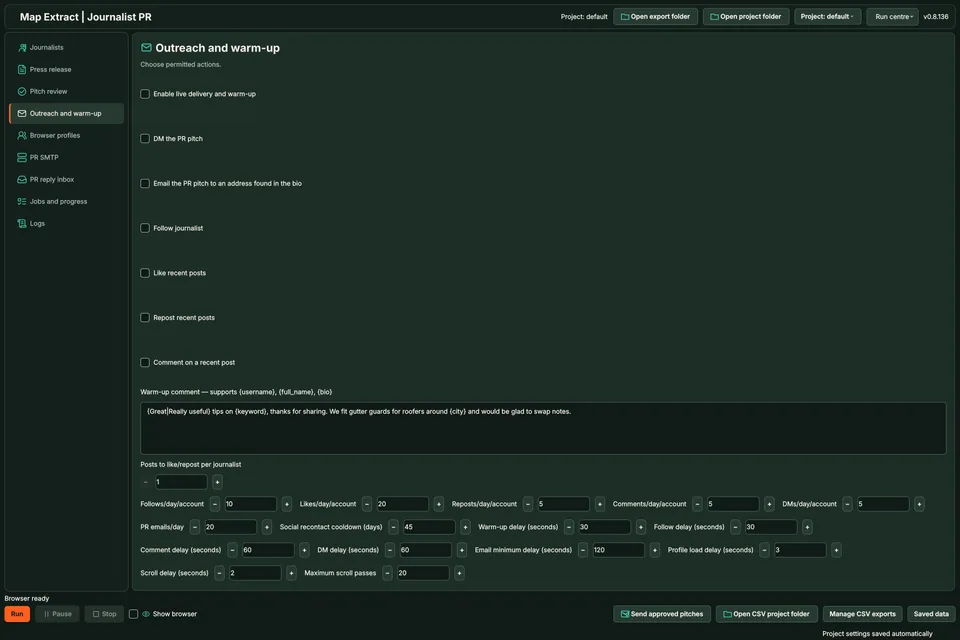
Daily caps: follows 10, likes 20, reposts 5, comments 5 and DMs 5 per account; PR emails 20. Social recontact cooldown 45 days; warm up and follow delays 30 seconds; comment and DM delays 60 seconds. 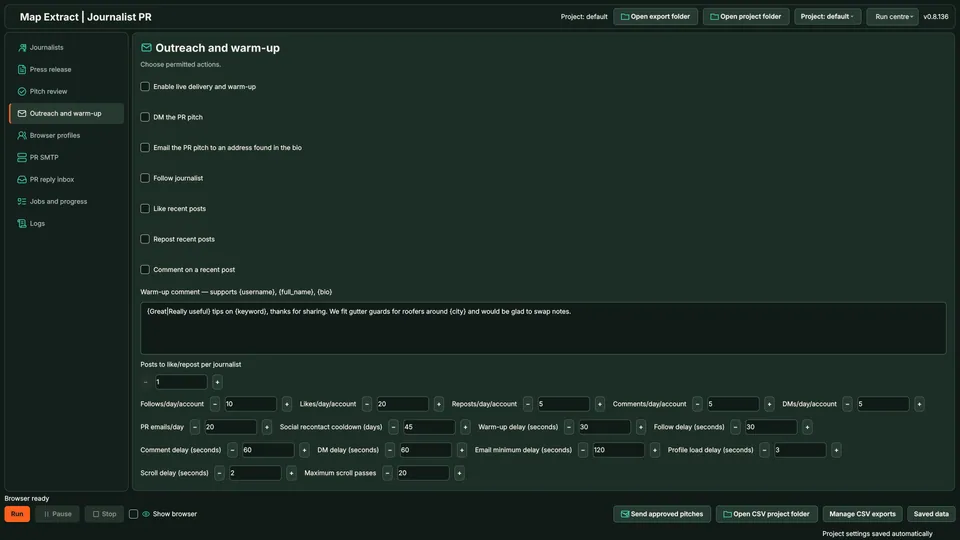
Email minimum delay 120 seconds, Profile load delay 3 seconds, Scroll delay 2 seconds and Maximum scroll passes 20. Step 7: Verify the PR browser identity
The PR browser runs independently of X scraping. Project only profile creates a separate browser identity for the PR project and saves its cookies separately. A visible global profile field does not change the selected mode. Enter verification codes in the PR browser, then Start resumes.
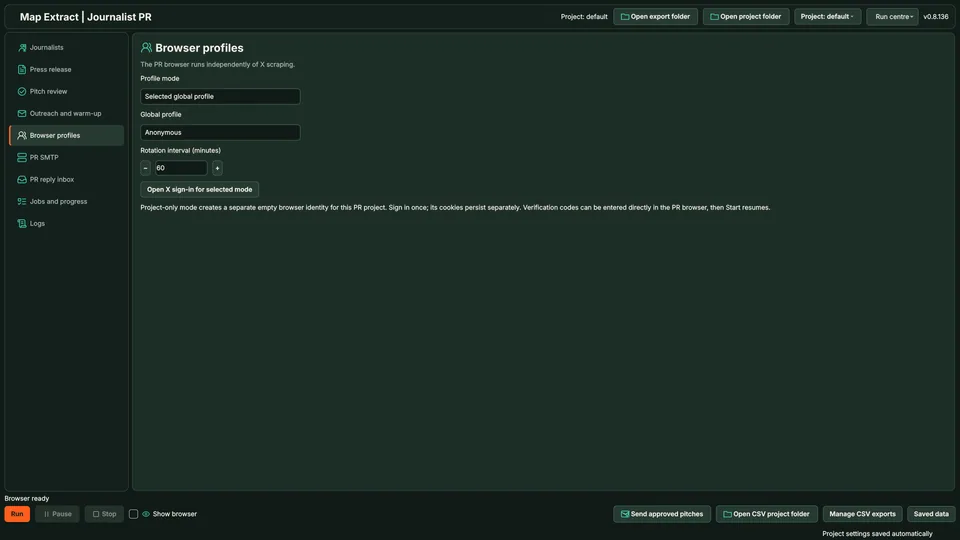
Browser profiles: Selected global profile with Rotation interval 60 minutes. Project only mode creates a separate empty browser identity for the PR project. Step 8: Configure and test PR SMTP
Use a dedicated PR sender, or explicitly opt into shared senders. Select shared senders only when they are appropriate for the campaign. Select the intended sender, refresh identities if needed and enter provider details. Reply To should point to the inbox you monitor. Save dedicated PR sender (paused), then Test selected sender and activate on success. There is no automatic fallback to unrelated SMTP accounts.
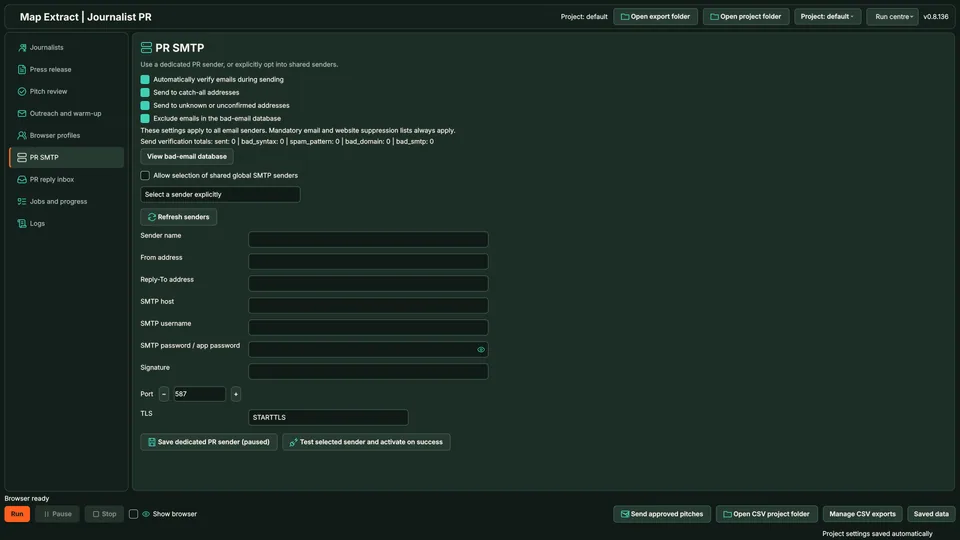
PR SMTP: shared global senders unchecked, Select a sender explicitly and Port 587. Sender and provider fields are empty. 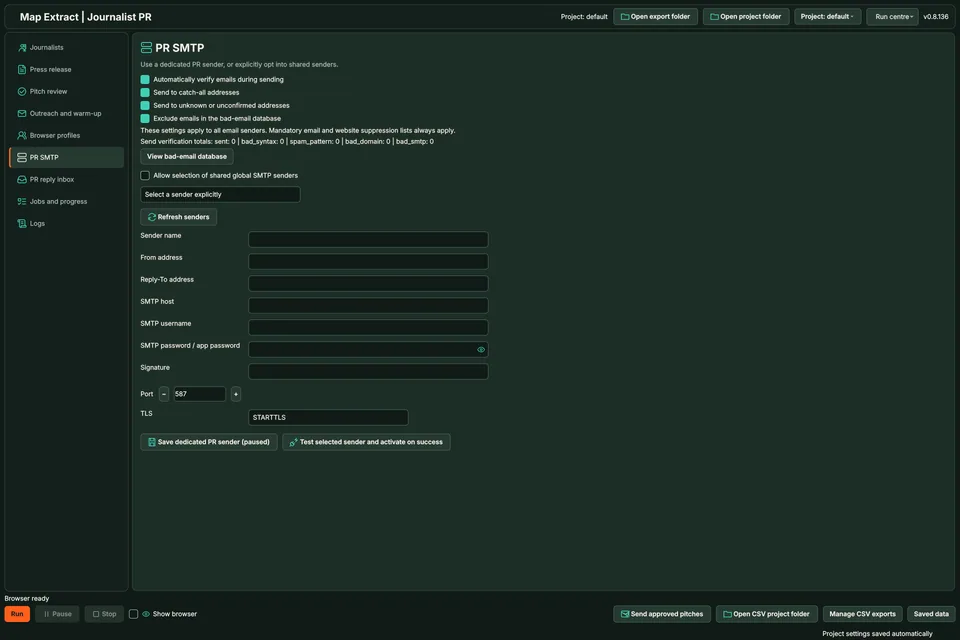
PR SMTP: Port 587, STARTTLS, Save dedicated PR sender (paused), then Test selected sender and activate on success. Step 9: Check replies and recorded progress
Configure the PR reply inbox and save its credentials, then Check journalist replies. The read only IMAP fetch examines the latest 100 messages and displays messages from known journalist bio addresses. It does not mark mail read or send automatic replies.
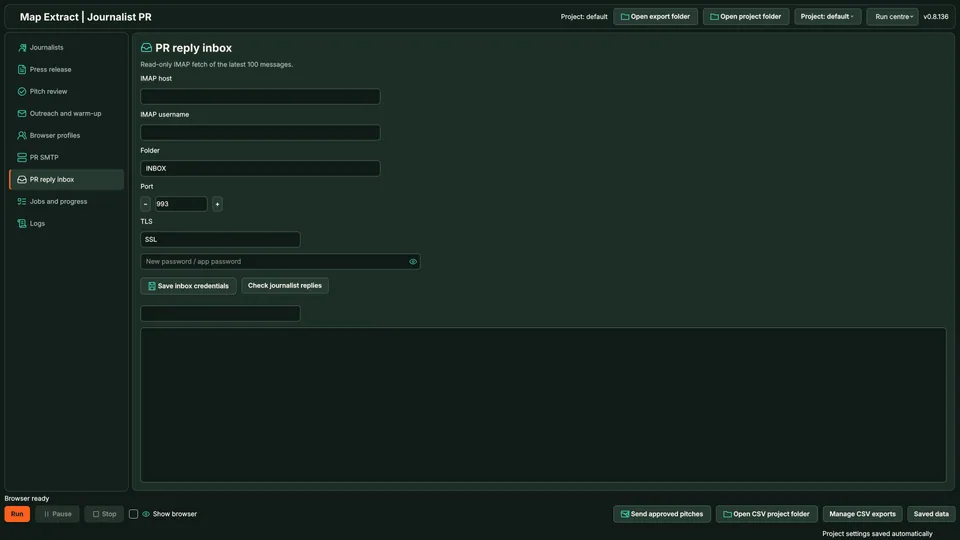
PR reply inbox: INBOX, Port 993 and SSL. Read only fetch of the latest 100 messages; no automatic replies.
Check the result
Targeted press pitches grounded in the journalist’s work and your supplied story.
- Journalists come from X module projects.
- Generated pitches need a factual check before approval.
- A reply stops further outreach to that journalist.
Read the responsible use guidance and the anti-spam policy before you run this module on real data.
Troubleshooting
- The expected input or account is missing
- Recheck the prerequisites: Project; Journalist evidence; Press release and approved pitch; Browser profile for relevant lead generation; SMTP for email.
- The output is incomplete or unavailable
- A pitch does not promise publication.
- The job was interrupted
- Pause or stop the supported local job controls, then inspect its recorded state. Resolve a blocked account or source before restarting. Check the destination before repeating any action whose outcome is uncertain.
Questions
What setup does the PR Outreach require?
Journalist targets, recent post context and your press brief. Project. Journalist evidence. Press release and approved pitch. Browser profile for relevant lead generation. SMTP for email.
What does the PR module produce?
The interface supports journalist research, press material, shared or personalised pitch drafts and exact message review.
How does journalist discovery work?
Import an X scraping project with read only access or use the independent PR browser. Supply keywords, hashtags and known handles one per line, with an optional profile phrase filter. Profile matching does not verify professional credentials.
How does press release personalisation work?
One PR brief can support a shared pitch or distinct drafts grounded in each journalist's recent posts. Generate shared PR with Gemini is a separate shared drafting control. No expert matching is required.
How do pitch approval and sending work?
Select the journalist, inspect the recipient, supporting posts and exact message, then save edits before approval. Choose Manual approval to review each draft before delivery. Warm up and delivery also require the live switch; Send approved pitches does not remove that requirement.
How do outreach limits and replies work?
Set separate caps, delays and a social recontact cooldown for the campaign. These do not promise account safety or delivery. A reply received in the PR inbox stops further outreach to that journalist. The inbox does not send automatic replies.
Next steps
Follow along in the free demo
Install Map Extract on Windows and work through these steps with a small test project.