
How to request removal of negative reviews
Follow the complete setup and run process for this module. You will start with target businesses, review platforms, client authority, signed scope and agreed pricing, work through each control in order and finish with a complete case record from review discovery to verified removal and client invoice.
Step 1: Open Reputation Management
Choose Open Reputation Management from the launcher. The standalone module handles business discovery, review assessment, clients, complaints and billing. Open Reputation data folder locates its saved records.
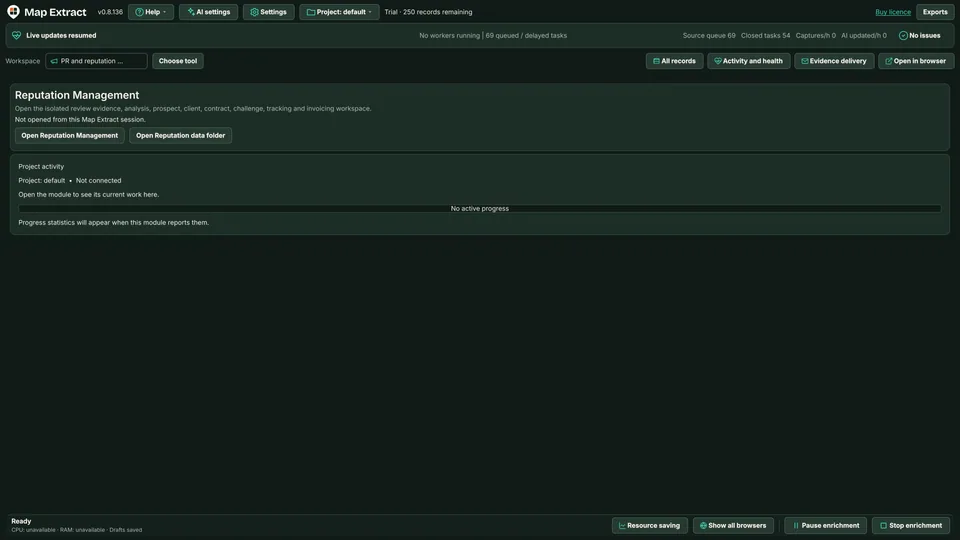
Open Reputation Management. Choose Open Reputation Management from the main window launcher. The separate module handles business discovery, review assessment, clients, complaints and billing. Open Reputation data folder locates its saved records. Step 2: Find businesses across review platforms
Enter Keywords / categories and Locations, one per line. Select platforms or use Select all platforms and Clear platform selection. Run selected discovery task starts the selected discovery work.
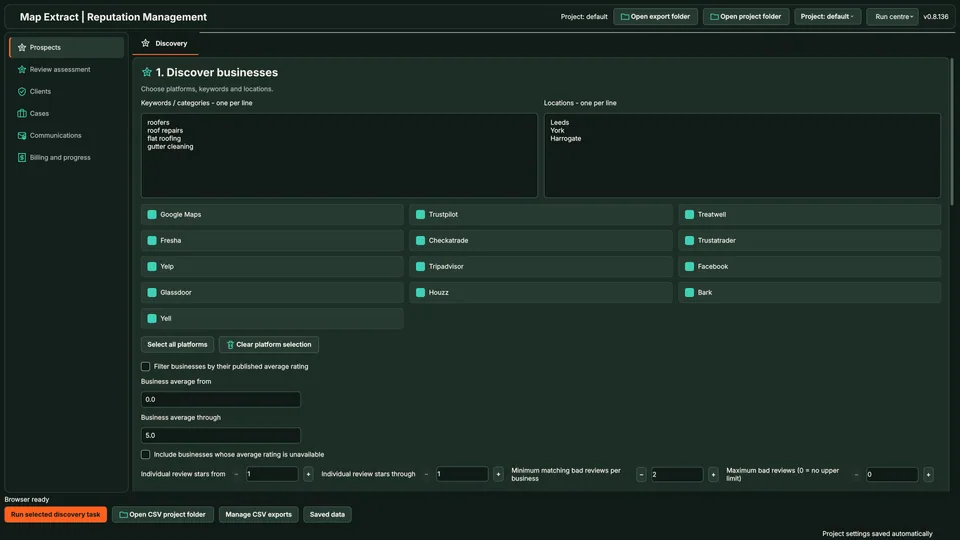
Find businesses across review platforms. Enter Keywords / categories and Locations, one per line. Select platforms or use Select all platforms and Clear platform selection. The demo searches roofing keywords in Leeds, York and Harrogate. Run selected discovery task starts the selected discovery work. Step 3: Set business and review filters
Business average ratings and individual review stars are separate filters. Set the individual review star range separately. Choose how many matching reviews a business must have.
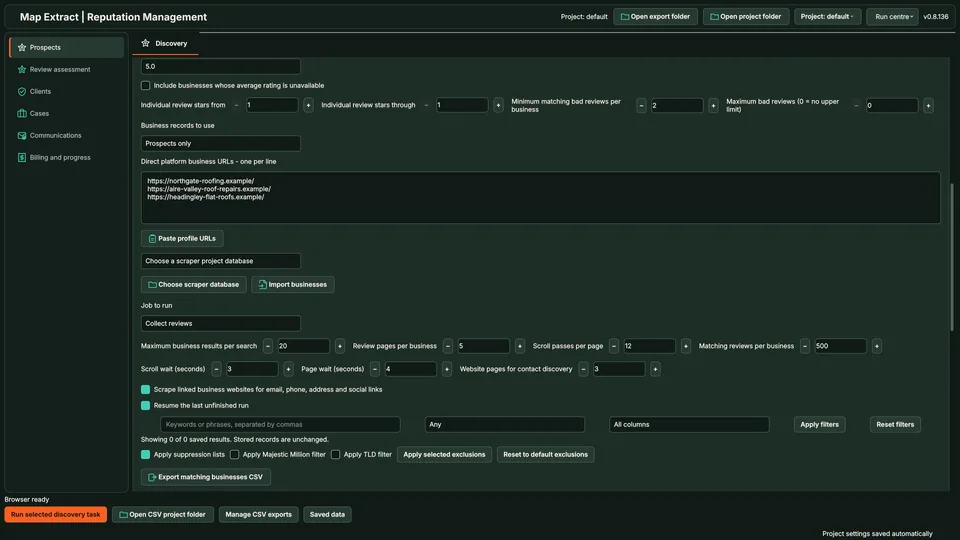
Set business and review filters, then choose sources and limits. The business average filter is unchecked in the demo; individual review stars run from 1 through 1. Paste direct platform business URLs or import businesses from a scraper database. Job to run is Collect reviews, with 20 business results per search, 5 review pages per business, 12 scroll passes per page and 500 matching reviews per business. Step 4: Choose business sources and collection limits
Paste direct platform business URLs or use Choose scraper database and Import businesses. Set limits for business results and review pages.
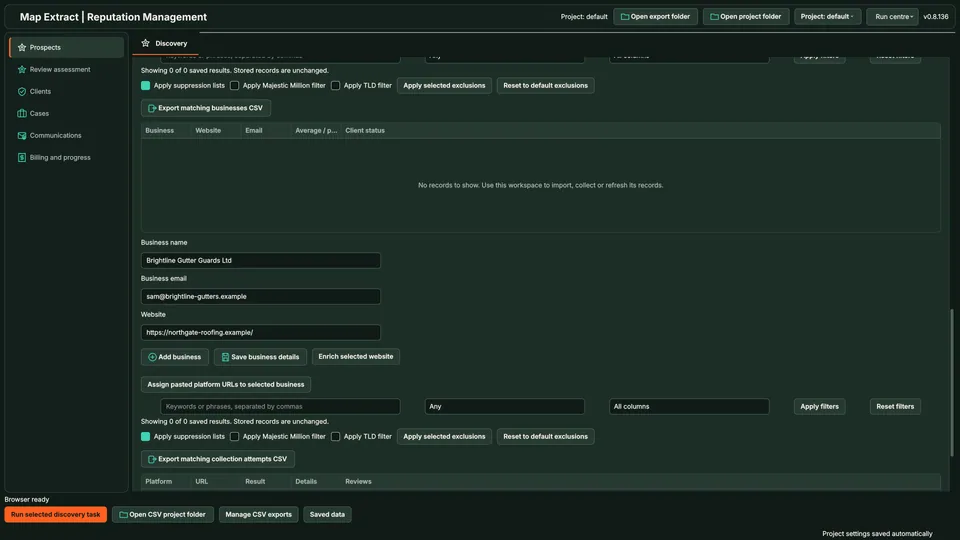
Review saved prospects. The table lists Business, Website, Email, Client status and average rating, with Export matching businesses CSV. Below it, add a business by name, email and website. Step 5: Extract website contacts
Optionally scrape linked business websites for email, phone, address and social links. Control website crawling depth, review volume and delays. Use Resume to continue unfinished lead generation.
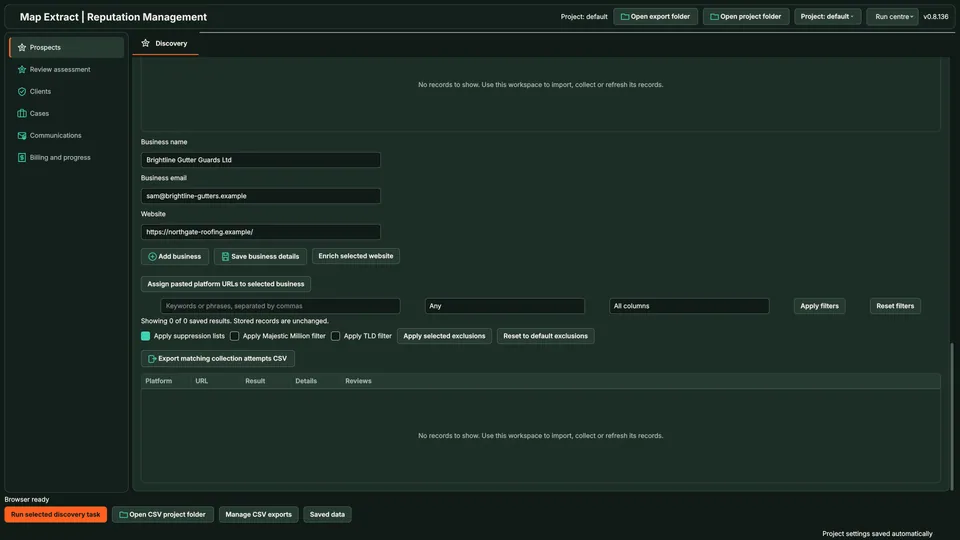
Add and enrich individual businesses. Enter Business name, Business email and Website. Add business or Save business details, then Enrich selected website. Assign pasted platform URLs to selected business links the profile evidence to that record. Step 6: Add and enrich individual businesses
Enter Business name, Business email and Website. Add business or Save business details, then Enrich selected website. Assign pasted platform URLs to selected business links the profile evidence to that record.
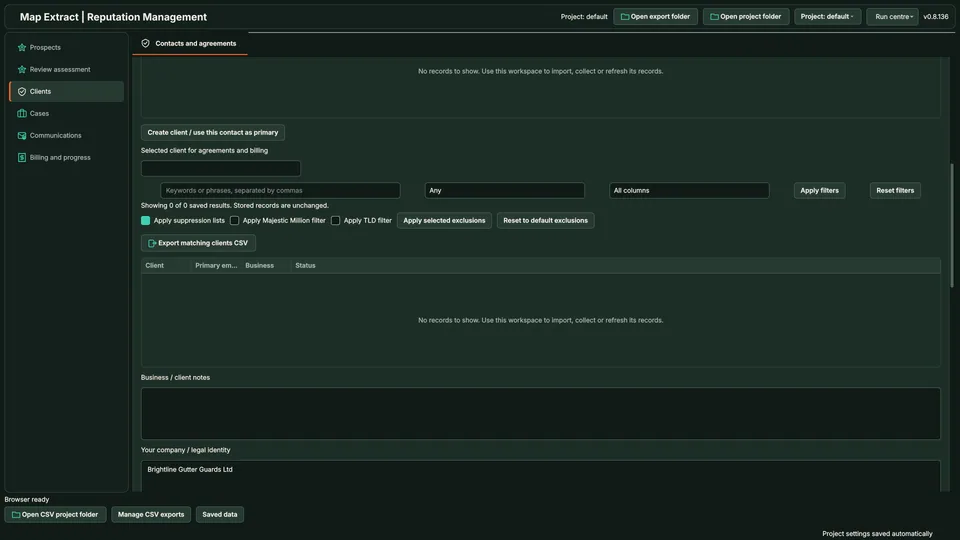
Contacts and agreements. Create a client or use a contact as primary, choose the selected client for agreements and billing, and record your company or legal identity. Step 7: Assess review evidence
Set a review lookback period, assessment threshold and minimum qualifying review count. Phrase and date filters narrow the selection. Existing clients are excluded from cold outreach.
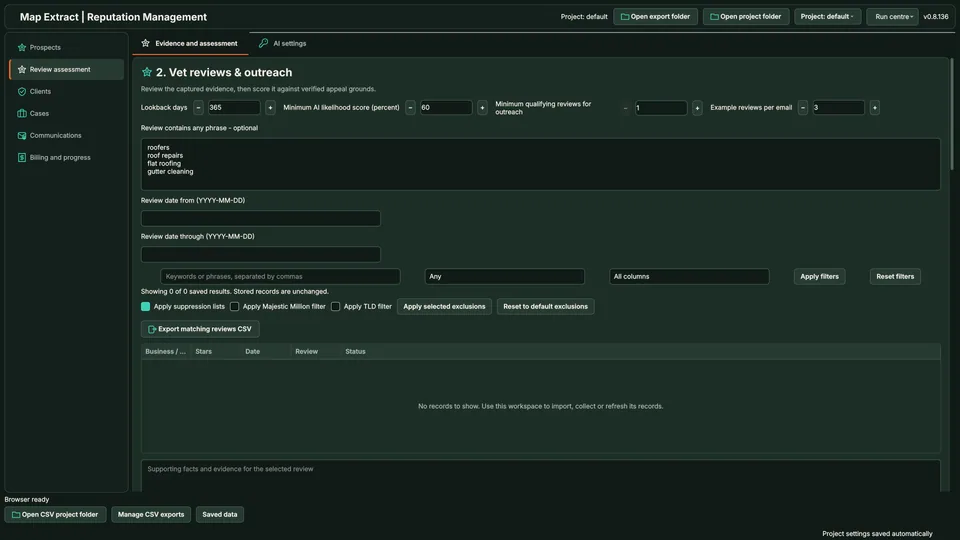
Assess review evidence. Use Review assessment to inspect captured reviews and supported appeal grounds. The demo uses Lookback days 365, Minimum AI likelihood score 60 percent, Minimum qualifying reviews for outreach 1 and Example reviews per email 3. Phrase and date filters narrow the selection. Step 8: Record the client agreement
Find the business and save Contact name, Contact email and Contact notes. The responding person can use a different email. The agreement records review URLs, text and agreed fees. Confirm signing to activate the client.
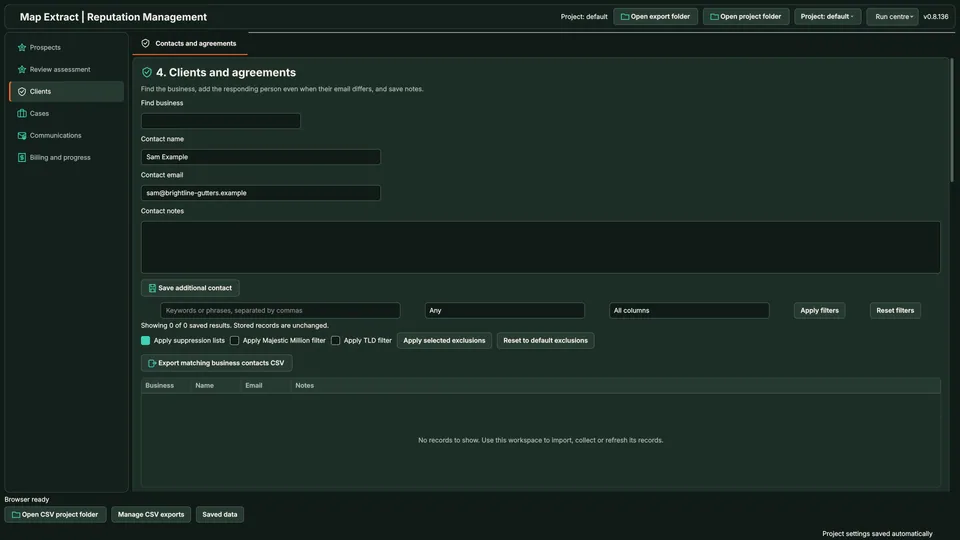
Record the client agreement. Find the business and save Contact name, Contact email and Contact notes. The responding person can use a different email. The agreement records review URLs, text and agreed fees. Confirm signing to activate the client. Step 9: Prepare a platform complaint
Choose the client and platform. The example selects All active clients, google_maps and Submission route manual. Record the Verified platform email and Official route source / reporting URL, then Save platform route. Draft one complaint per client and platform with the supported grounds for each review.
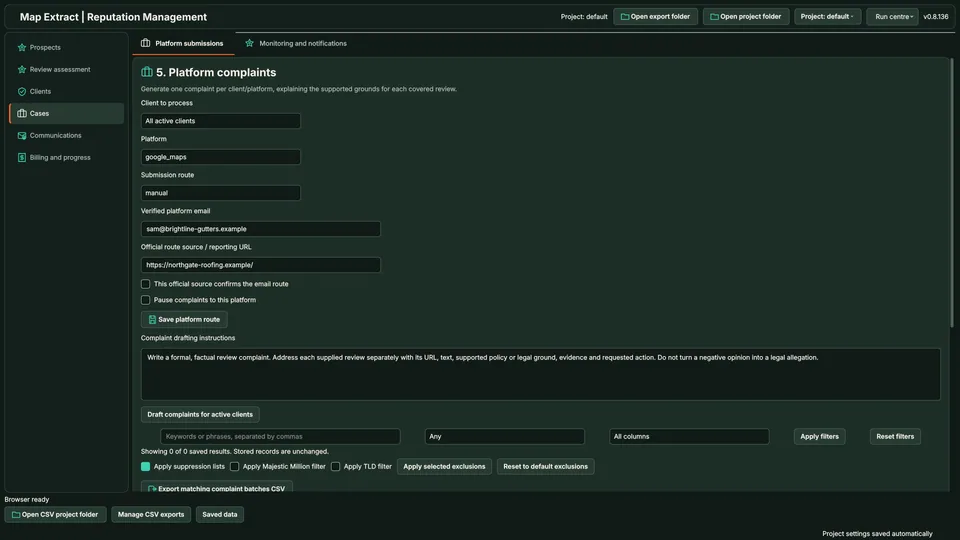
Prepare a platform complaint. Choose the client and platform. The example selects All active clients, google_maps and Submission route manual. Record the Verified platform email and Official route source / reporting URL, then Save platform route. Draft one complaint per client and platform with the supported grounds for each review. Step 10: Review messages before sending
In Communications, check Type, Recipient, Subject, State, BCC and SMTP sender. Edit the exact recipient, subject and message before Send approved messages. Uncertain sends are held instead of automatically retried.
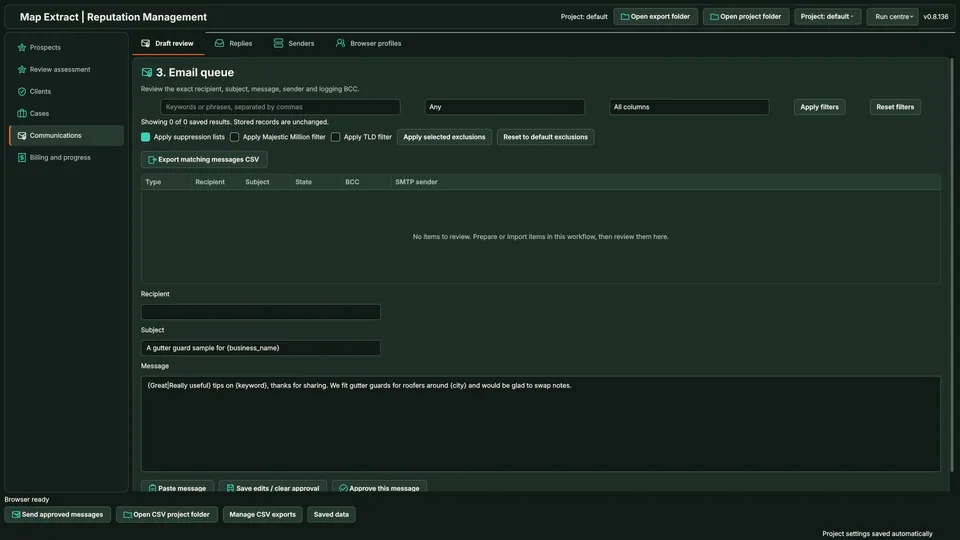
Review messages before sending. In Communications, check Type, Recipient, Subject, State, BCC and SMTP sender. Edit the exact recipient, subject and message before Send approved messages. Uncertain sends are held instead of automatically retried. Step 11: Invoice confirmed outcomes
Billing and progress supports Invoices, Case progress and Activity. Invoice only confirmed removals covered by signed terms. Set the send date, removal cutoff and client overrides.
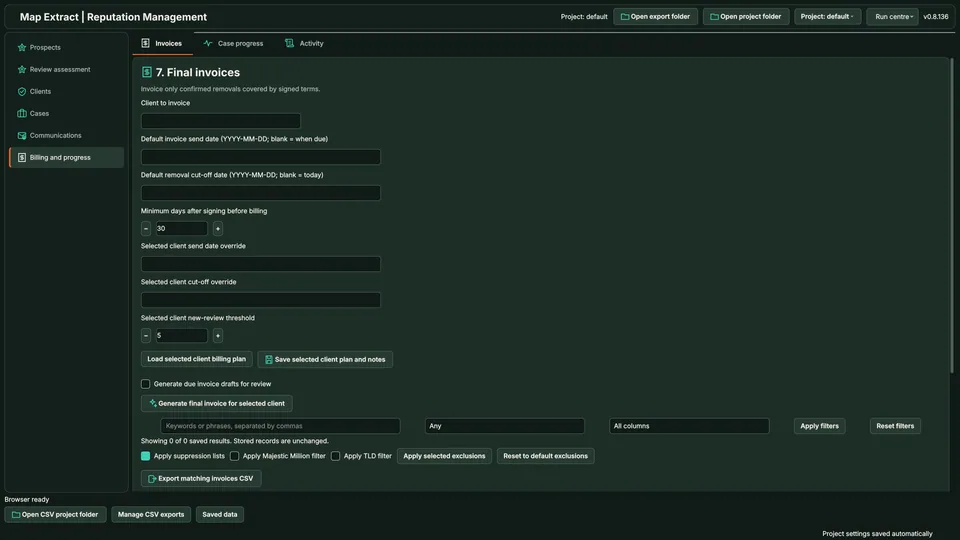
Invoice confirmed outcomes. Billing and progress supports Invoices, Case progress and Activity. Invoice only confirmed removals covered by signed terms. Set the send date, removal cutoff and client overrides. The demo minimum is 30 days after signing and the new review threshold is 5.
Check the result
Documented review cases, client agreements, complaint drafts and confirmed outcome records.
- AI assessments are aids against published policies, not legal findings. Removal is the platform's decision.
- Legal, delivery and billing actions need your explicit approval and are logged.
- Contacting businesses about their reviews is sensitive. Read the anti-spam policy before any outreach.
Read the responsible use guidance and the anti-spam policy before you run this module on real data.
Troubleshooting
- The expected input or account is missing
- Recheck the prerequisites: Project; Review source evidence; Client authority for actions; Configured sender and optional model.
- The output is incomplete or unavailable
- No review removal or platform decision is promised.
- The job was interrupted
- Pause or stop the supported local job controls, then inspect its recorded state. Resolve a blocked account or source before restarting. Check the destination before repeating any action whose outcome is uncertain.
Questions
What does Reputation Management Software do?
Discover businesses across 13 review platforms, collect review evidence and assess supported complaint grounds. Record your own client agreements, prepare draft platform complaints, track review outcomes and invoice confirmed removals covered by signed terms.
Which review platforms are shown?
Google Maps, Fresha, Yelp, Glassdoor, Yell, Trustpilot, Checkatrade, Tripadvisor, Houzz, Treatwell, Trustatrader, Facebook and Bark. Platform access and available fields vary.
How are business ratings and review stars different?
The business average filter selects companies by their published aggregate rating. Individual review stars selects reviews within those businesses. Unavailable business averages can be included separately.
Does the AI score predict negative review removal?
No validated removal probability is shown. Review the evidence and supported grounds; the platform decides the outcome.
Can this review removal tool send complaints automatically?
Messages are sent after you approve them. An email submission needs a verified platform route; otherwise use the official reporting process. Legal, delivery and billing actions require explicit approval.
When can an invoice be created?
Invoice only confirmed removals covered by signed terms. The invoice includes review URLs, review text, removal dates and agreed prices.
Next steps
Follow along in the free demo
Install Map Extract on Windows and work through these steps with a small test project.